Every well has a story. Now you can read it.
Pressure, pump health, water level and power — watched every minute, explained in plain English.
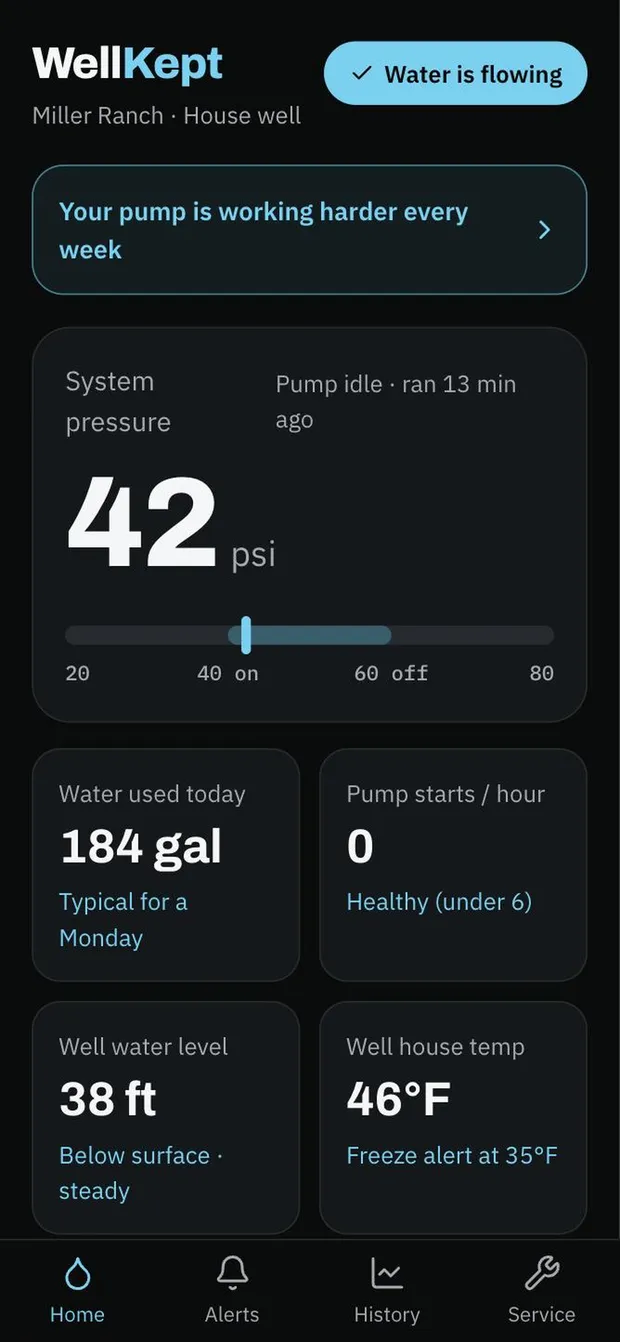
Water is flowing. That's the whole point.
One glance tells you everything's fine.
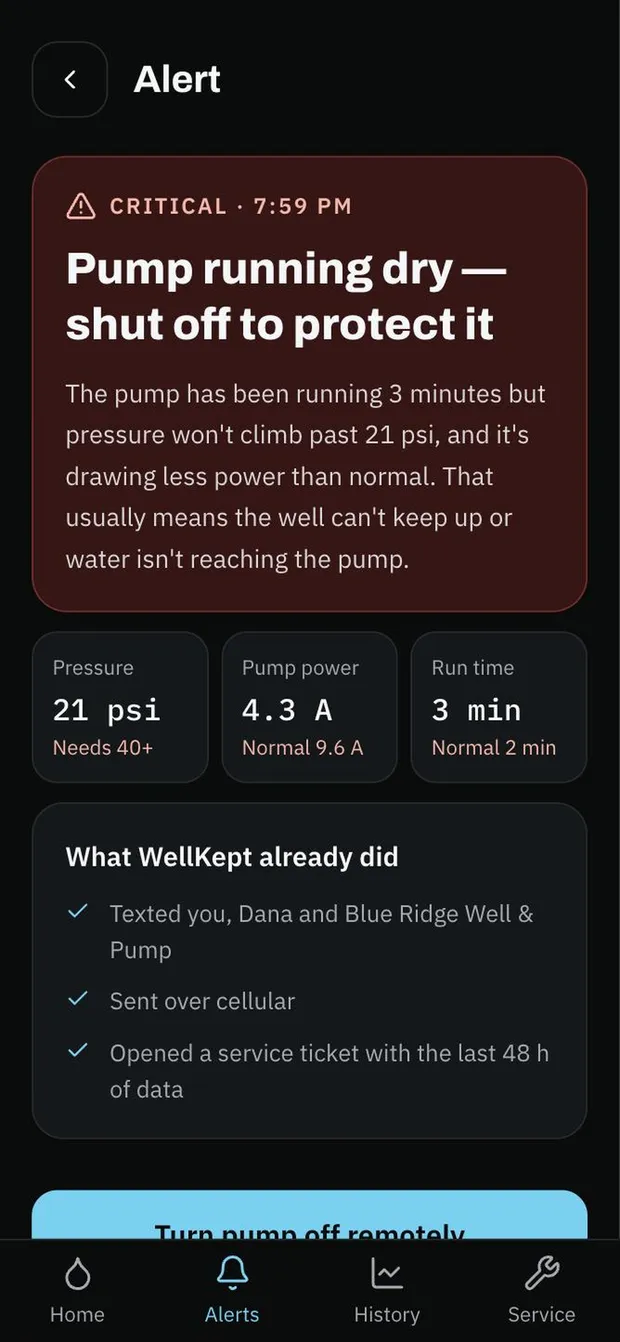
When it isn't, you know in seconds.
The facts, the fix, and an off switch.
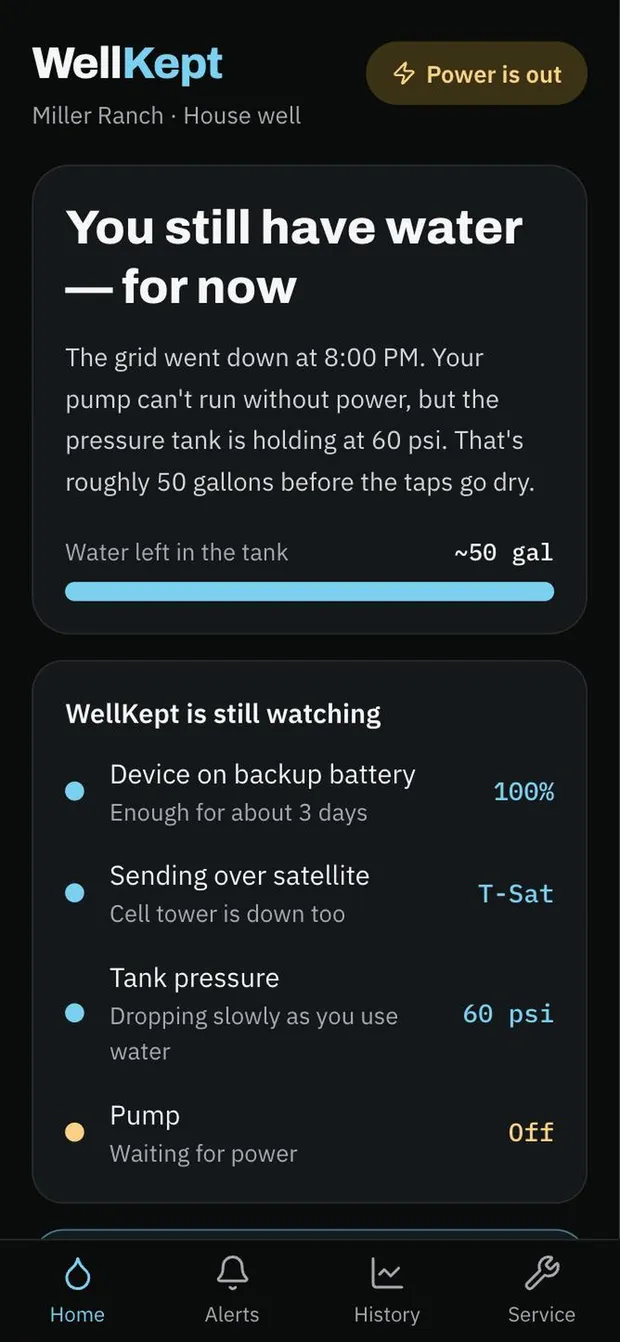
Grid down. Tower down. Still watching.
WellKept falls back to satellite.
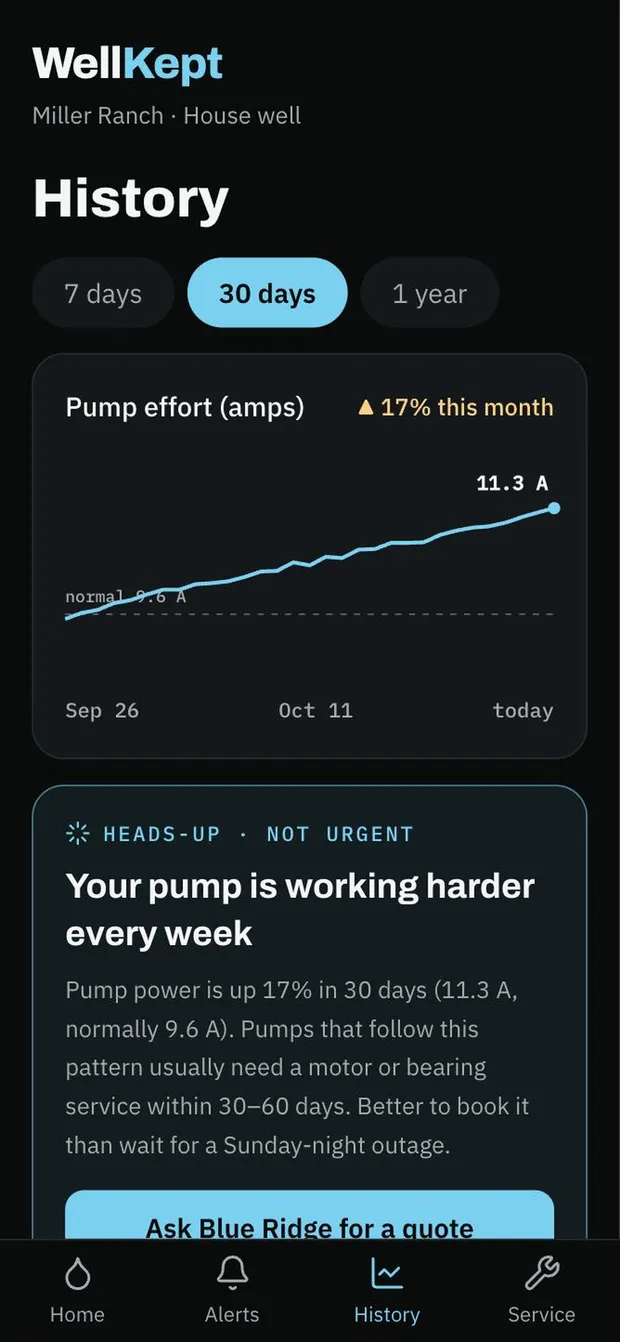
Book the repair, not the emergency.
Spots a tired pump weeks before it quits.
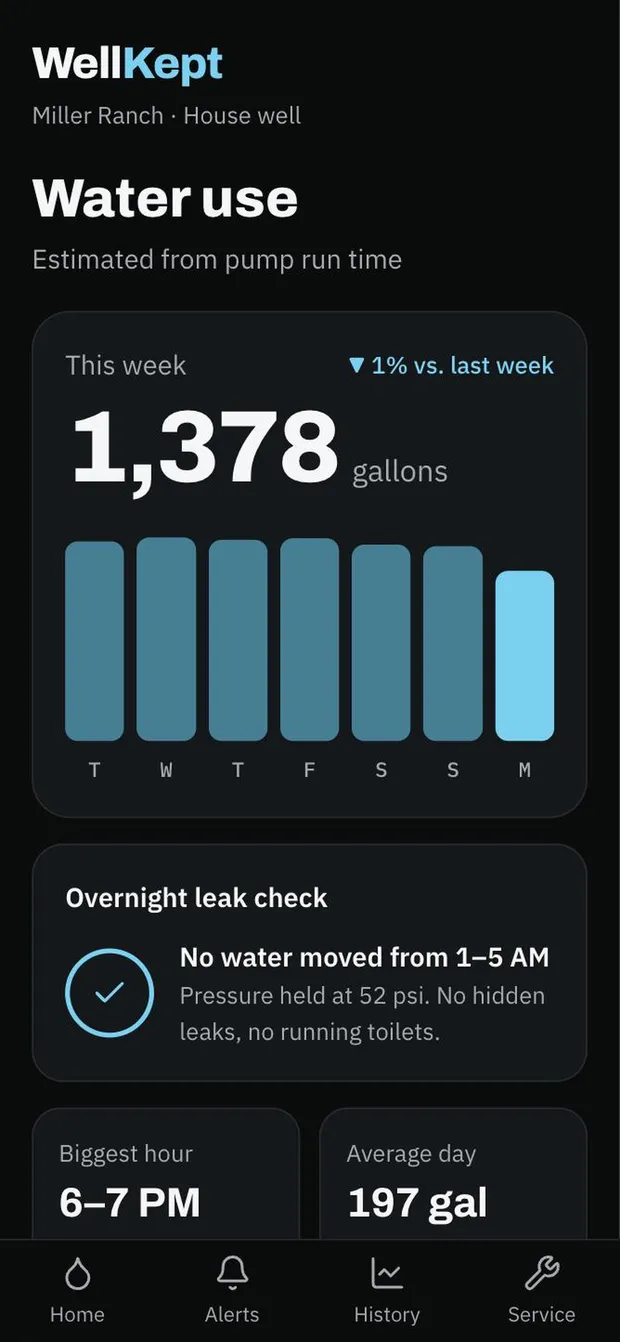
Catch the leak you can't hear.
Checks overnight for water that shouldn't move.
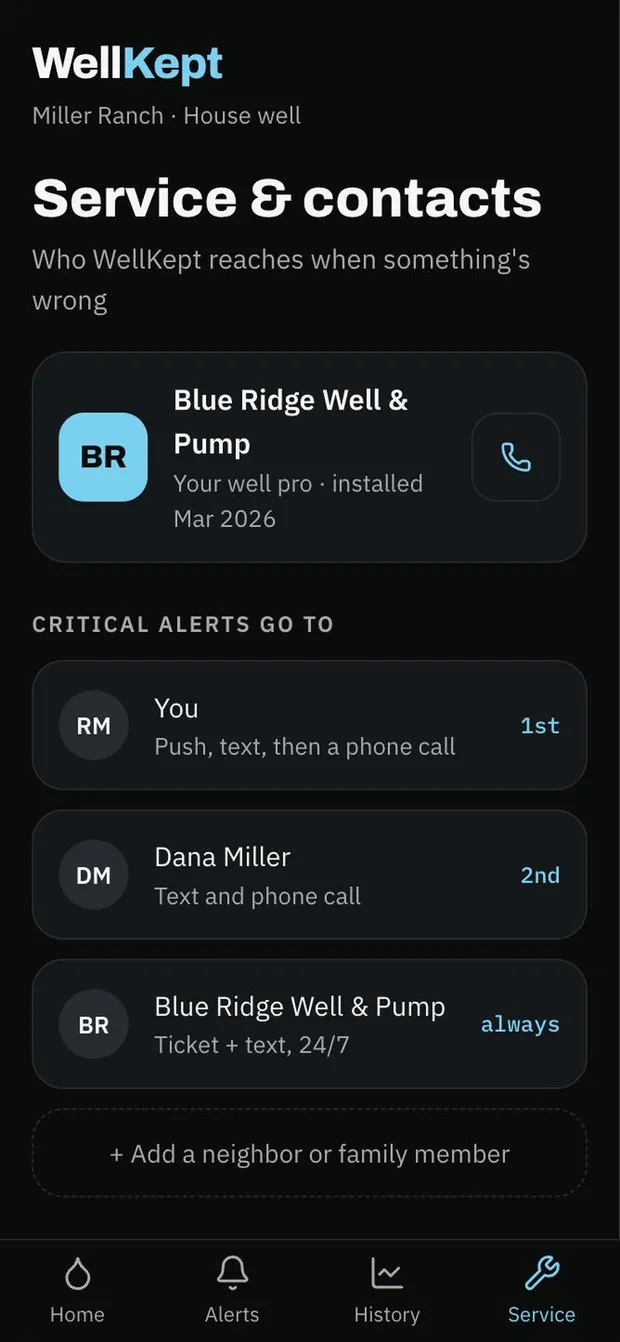
The right people, in the right order.
You, then family, then your well pro.
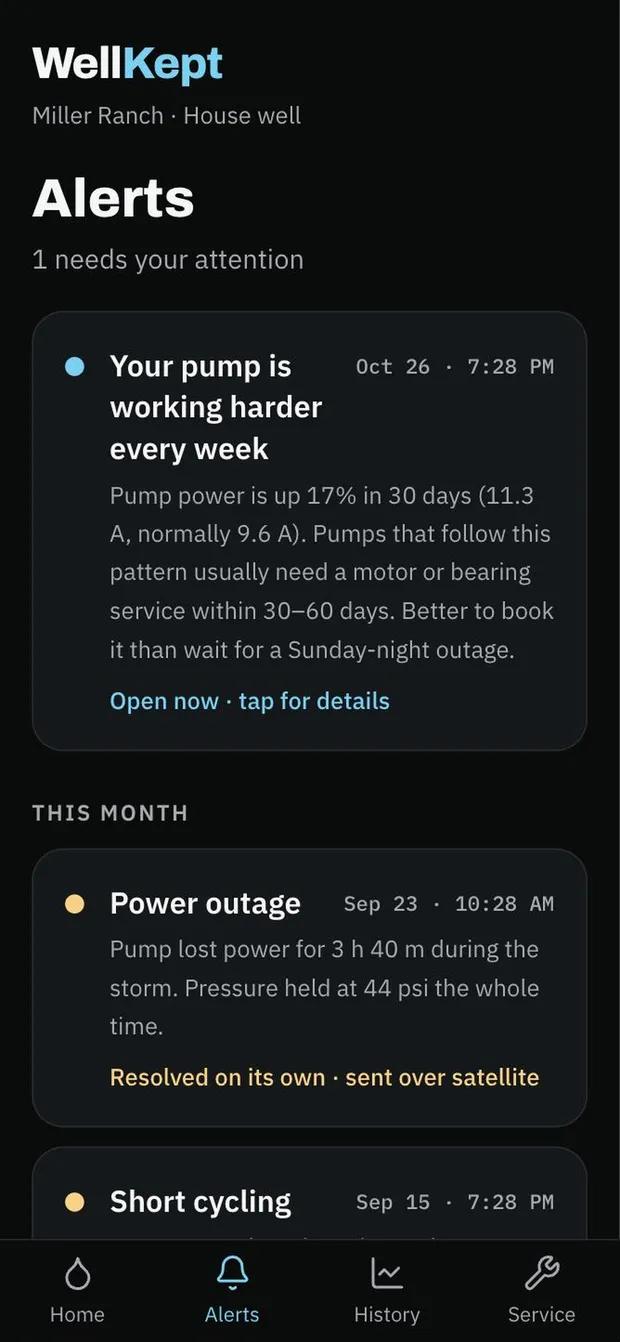
A memory for your well.
Every alert, what caused it, how it was fixed.
Anatomy of a 6 AM emergency
Step 1
Pump starts running dry
Step 2
WellKept alerts you and your well pro, even over satellite
Step 3
You shut the pump off from your phone
Step 4
Your pro arrives with the right part.